Showing posts sorted by relevance for query Windows Activation. Sort by date Show all posts

Friday, August 01, 2008

How to activate Windows Vista?

This is a simple and brief guide on how to check if your Windows Vista is activated or how to activate the Windows Vista if it's not already activated.

Activation helps verify that your copy of Windows is genuine and that it has not been used on more computers than the Microsoft Software License Terms allow. In this way, activation helps prevent software counterfeiting. With an activated copy of Windows, you’ll be able to use every Windows feature.

Activation and registration are not the same. Activation is required, but registration is not. Activation is the process of ensuring that your copy of Windows is used according to the Microsoft Software License Terms, whereas registration is the process of entering information (such as your e‑mail address) to sign up for product support, tools and tips, and other product benefits.

You must activate Windows within 30 days after installation or Windows will stop working.

Windows Activation Client can be opened from Windows\System32\slui.exe or alternatively just type slui in the start menu search box.
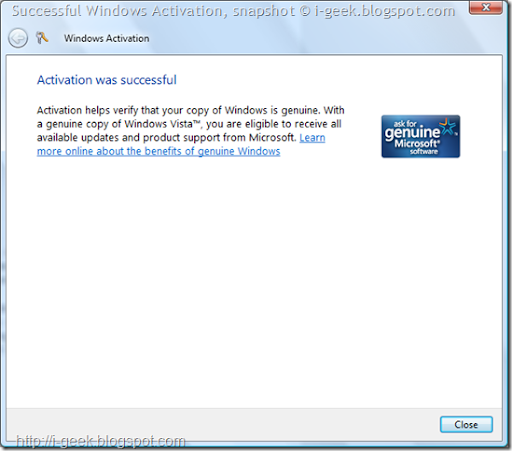
Successful Windows Activation Wizard

(The screenshot shows Successful Windows Activation Wizard)

You can activate either online or by phone. To activate online you need an Internet connection. Activating by phone requires interacting with an automated phone system.

The following screen appears after a successful Activation. The Windows Activation Wizard says "Activation helps verify that your copy of Windows is genuine. With a genuine copy of Windows Vista, you are eligible to receive all available updates and product support from Microsoft.

You can also see the Activation status in Control Panel\System and Maintenance\System ie on View basic Information about your computer.

More information:

Saturday, August 02, 2008

How to activate Windows XP?

This a brief guide to how to activate Windows XP or check if your Windows XP is activated.

Start Windows XP Registration Wizard simply by entering the command given below,

open the Run dialog box
Type: oobe/msoobe /a
Click ok.

Read if applies to you:

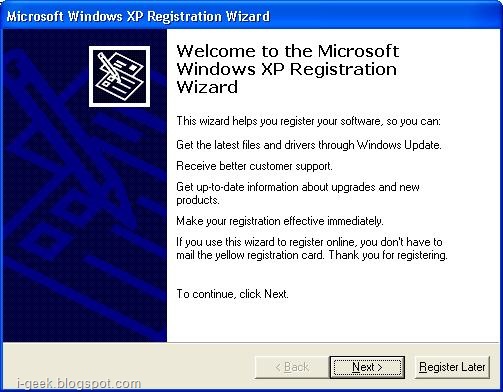
Microsoft Windows XP Registration Wizard appears, then follow the instructions shown.

Windows XP Registration Wizard

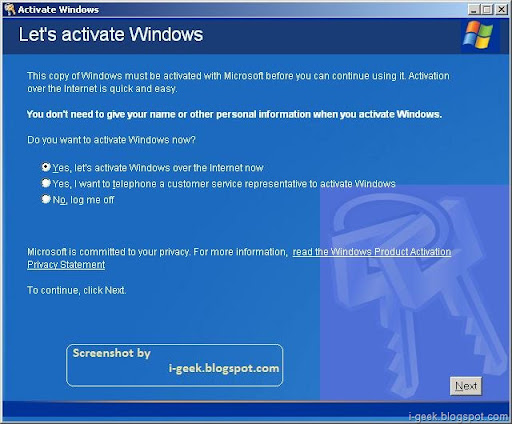
 Let's activate windows

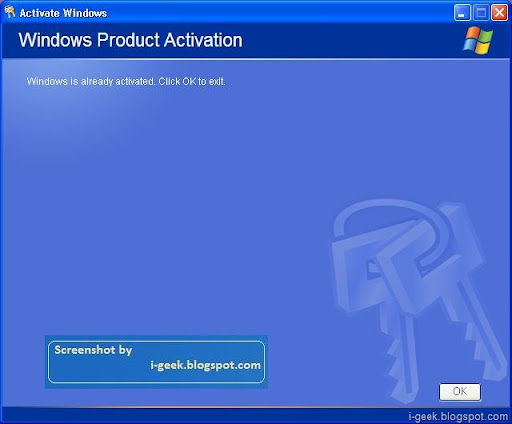
 Windows Product Activation

Activation helps verify that your copy of Windows is genuine and that it has not been used on more computers than the Microsoft Software License Terms allow. In this way, activation helps prevent software counterfeiting. With an activated copy of Windows, you’ll be able to use every Windows feature.

Activation and registration are not the same. Activation is required, but registration is not. Activation is the process of ensuring that your copy of Windows is used according to the Microsoft Software License Terms, whereas registration is the process of entering information (such as your e‑mail address) to sign up for product support, tools and tips, and other product benefits.

For More information visit, Windows Genuine Advantage website and articles in the geeklog.

Thursday, March 20, 2008

Reinstall Windows XP without re-activating

When you activate Windows XP, Microsoft stores the data in the Windows Product Activation database files wpa.dbl and Wpa.bak in the folder %systemroot%\system32. If you change the motherboard or make significant hardware changes, XP will require you to reactive. But if you plan to reinstall XP on the same hardware, you can back up the activation status and then restore it after you reinstall and avoid the activation process.
 
You can backup the Windows Product Activation database files to diskette, these are really very small files. Follow the following steps after you reinstall XP, to restore the Windows Product Activation database files:
  • Start XP to Minimal Safe mode
  • Change directory to the \%systemroot%\system32 folder
  • Rename the newly created wpa.dbl to wpa.nonactivated and wpa.bak, if it exists, to wpabak.nonactivated.
  • Copy your backed up wpa.dbl and wpb.bak files to the system32 folder
  • Reboot
This should work if you want to avoid activating XP after a reinstall or restore on the same or very similar hardware. It will not work if the hardware is significantly different from that in place when the Windows Product Activation database files were created. This is not a hack to avoid activating installations.

Friday, July 11, 2008

iPhone 3G Now in Japan, London Launch Marred by Software Problem

Amid cheers, queues and smoke, Apple's iPhone made its Japan debut today morning. The launch marks the first time the iPhone has been available in Japan and the chance to be one of the first to own one attracted more than 1,000 people to the store of Japanese carrier Softbank in Tokyo's trendy Harajuku neighborhood by the time sales began at 7a.m.

As the countdown clock reached zero those waiting cheered and special-effects smoke enveloped a crowd of more than 100 journalists and photographers who had turned out to see the launch of the handset.

"This is the year that the cell phone becomes an Internet-connecting machine," said Masayoshi Son, CEO of Softbank, speaking in front of the store just before the launch. "Today is the day that will make it real, and I think it's a historic day."

It took about 20 minutes for the first customer to emerge from the shop clutching his new iPhone. He was actually third in line but had managed to get his application processed the fastest so at first excused himself for beating out the two people who had queued ahead of him. "It's great isn't it," he said. "I've already used it to call my girlfriend." For many prospective buyers the queuing didn't finish at 7a.m. Softbank will begin sales at its other stores and through at electronics retailers from noon on Friday.

Meanwhile, software compatibility problems marred the launch of the iPhone 3G at Apple's flagship store in London, where customers had difficulty activating their new phones.

Apple has an exclusive deal with network operator O2 in the U.K. —but O2's web-based activation system requires the use of Microsoft's Internet Explorer browser to register a new phone: It won't work with the Safari browser bundled in Apple's Mac OS X.

In its Regent Street store, Apple had installed VMware Fusion desktop virtualization software on some of its Macintosh computers, allowing them to run Internet Explorer on Windows, but the activation process was still not working.

"It just goes dead," said would-be customer Mark Phipps, who left the store frustrated and without an iPhone 3G.

"They wouldn't reserve us one, which is a real kick in the teeth," he said.

Phipps is one of at least three customers that left the store disappointed by the delays.

Another, Josh Young, said the activation process was completely broken. He planned to return later.

The short line that had formed outside the store by the time it opened at 8 a.m. quickly moved inside, but two hours later the line had lengthened and extended out onto the street again.
Adapted from http://www.pcworld.in/india/news/Hardware/iPhone_3G_Now_in_Japan,_London_Launch_Marred_by_Software_Problem/5210162/9

Subscribe to geeklog feed Bookmark and Share

Design by Free blogger template